
Reviews
City Transit Driver Simulator offers a refreshing take on the driving genre by emphasizing passenger transport and route completion rather than racing. The urban environment feels alive with traffic, and the increasing complexity of routes keeps the experience fresh. Controls are responsive, and the lack of a time limit reduces stress, making it suitable for casual sessions. The map feature is particularly helpful for planning turns. While it lacks advanced simulation depth, it succeeds as an accessible and enjoyable driving game for all ages.
Description
Urban Navigation & Route Planning
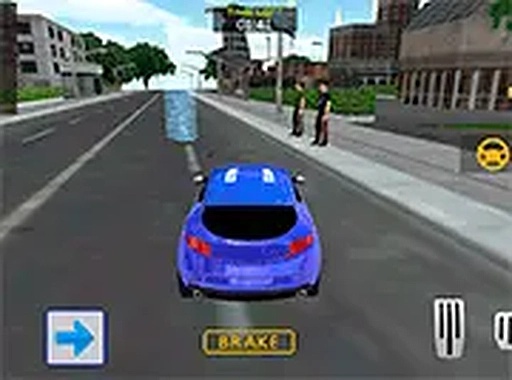
City Transit Driver Simulator places players behind the wheel of a passenger vehicle tasked with navigating a detailed urban environment. Each session begins with a route that includes several passenger pickup points and corresponding drop-off locations. The city layout features intersections, traffic signals, and other vehicles that require constant attention. Players must read the road ahead and make quick decisions about lane positioning and timing to keep their vehicle moving smoothly. The routes are designed to test spatial awareness and the ability to follow directions under time pressure.
Passenger Pickup & Drop-Off Mechanics
The core loop of the game revolves around locating passengers and transporting them to their intended destinations. When a passenger is picked up, a new marker appears on the map indicating where they need to go. The challenge lies in balancing speed with caution, as abrupt movements or collisions can delay progress. Each successful drop-off adds to the player's overall completion rate, encouraging consistent performance across the entire route. The game does not penalize minor mistakes harshly, allowing players to recover and continue driving.
Traffic Interaction & Obstacle Awareness
Other vehicles populate the city streets, moving according to basic traffic patterns. Players must yield when appropriate, avoid tailgating, and watch for sudden stops. The game does not include aggressive AI drivers, but the density of traffic increases as routes progress. This creates a natural difficulty curve where players must improve their observation skills and reaction times. Learning to anticipate the movements of other cars is key to maintaining a steady pace without unnecessary stops.
Controls & Accessibility for All Skill Levels
The game is designed for desktop play with keyboard controls that are simple to learn. Arrow keys or WASD inputs manage acceleration, braking, and steering. A full-screen mode is available to minimize distractions. The interface includes a map overlay that shows the current route and upcoming turns. New players can start a route immediately without lengthy tutorials, while experienced drivers can focus on optimizing their path and reducing travel time. The control scheme supports both casual and focused play styles.









03 Comments
Sign in to comment
You must be logged in before posting a review or rating.
No account? Create one
No comments yet. Be the first to comment!