
Reviews
Urban Traffic Racing Challenge delivers a clean, accessible racing experience that respects your time. The car customization options add a personal touch, while the reward system provides clear goals. The controls are responsive, and the city tracks offer enough variety to stay interesting. It is an excellent choice for quick gaming sessions.
Description
Competitive City Racing
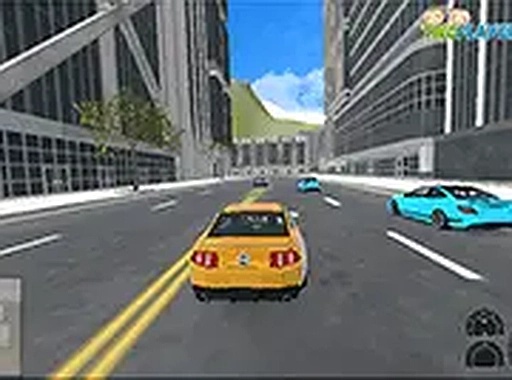
Urban Traffic Racing Challenge puts players behind the wheel on realistic city streets. The primary objective is to outpace opponents and secure first-place finishes across a series of races. Each victory contributes to your reputation as a skilled driver, unlocking new opportunities to improve your standing. The game emphasizes quick reflexes and smart decision-making as you navigate traffic and tight corners.
Vehicle Selection and Personalization
Before hitting the road, players choose from a roster of cars. Each vehicle can be customized with different paint colors and wheel designs, allowing for a personalized look. This system encourages experimentation, as players can adjust their car's appearance to match their style. The customization options are straightforward, making it easy to create a distinct ride without complex menus.
Browser-Based Accessibility
This game runs entirely in a web browser, requiring no downloads or installations. It is optimized for desktop computers, with a full-screen mode available for an immersive experience. The interface is clean and intuitive, ensuring that players can jump into a race quickly. This design makes the game accessible to both casual players and driving enthusiasts who want a quick session.
Reward Progression and Unlockables
Winning races earns rewards that can be used to acquire new cars and performance upgrades. The progression system is tied directly to race outcomes, motivating players to improve their driving skills. As players accumulate victories, they gain access to a wider selection of vehicles, each offering different handling characteristics. This loop of racing, earning, and unlocking keeps the experience engaging over time.
Controls and Learning Curve
Players control their car using standard keyboard inputs, typically arrow keys or WASD. The controls are responsive, allowing for precise steering and acceleration. New players can learn the basics within minutes, while experienced racers can focus on mastering track layouts and optimizing their lines. The game strikes a balance between accessibility and depth, appealing to a broad audience.
Visual Style and Atmosphere
The game presents a vibrant city environment with varied street layouts. The visual design emphasizes clarity, ensuring that players can easily spot turns, obstacles, and opponents. The color palette is bright and engaging, contributing to a lively racing atmosphere. This visual approach supports the fast-paced gameplay without overwhelming the player.









03 Comments
Sign in to comment
You must be logged in before posting a review or rating.
No account? Create one
No comments yet. Be the first to comment!