
Reviews
Keyboard Typing Speed Challenge turns typing practice into a simple, engaging race. Its straightforward design makes it easy for anyone to start immediately. The game provides clear feedback on each keystroke, helping users improve both speed and precision. It is completely free and family-friendly, making it a reliable choice for schools or home use. While it lacks advanced features like leaderboards, its focus on core skill development is a strength.
Description
Game Introduction
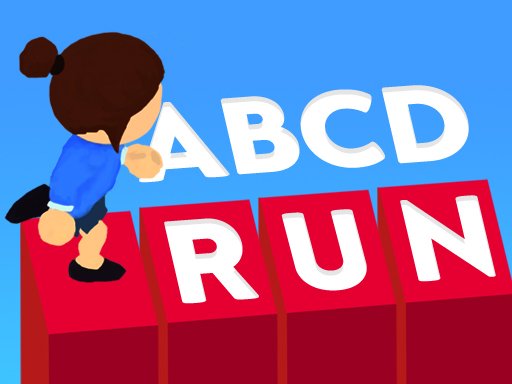
Keyboard Typing Speed Challenge is an interactive online activity that turns keyboard practice into an exciting race. Players see letters appear on the screen and must type them accurately to move their character forward. The main goal is to reach the finish line as quickly as possible while maintaining correct keystrokes. This game is designed for anyone looking to enhance their typing abilities, from beginners to experienced typists. It offers a straightforward way to build muscle memory and increase words-per-minute without any downloads or installations. Simply open a web browser and start playing. The game emphasizes both speed and precision, making it a balanced tool for skill development. Its clean interface and clear feedback help players track their progress over time. Because it focuses on letter recognition and keyboard familiarity, it is suitable for children and adults alike. The challenge grows as players improve, encouraging repeated practice. Overall, Keyboard Typing Speed Challenge provides a productive and entertaining experience that turns a routine skill into an engaging competition with oneself.
How to Play
To begin, players are presented with a series of letters displayed one at a time on the screen. Using a standard keyboard, the correct key must be pressed for each letter. Typing the right letter advances the character along a race track. If a wrong key is pressed, the character may slow down or pause, so accuracy matters. The game continues until the character crosses the finish line. Performance is measured by how quickly and correctly letters are typed. Players can repeat the race to try for a better time. The controls are simple: only the keyboard is needed, and no mouse clicks are required. This straightforward design makes it easy for new players to understand the mechanics within seconds.
Game Features
Keyboard Typing Speed Challenge includes several features that support skill improvement. It is completely free to play online with no registration or payment required. The game is accessible from any device with a web browser, making it convenient for use at home, school, or work. It offers a fast-paced environment that encourages quick thinking and precise finger movements. The activity is suitable for all age groups and promotes a safe, family-friendly atmosphere. Players receive immediate feedback on their typing performance, which helps identify areas for improvement. The game may include multiple rounds or difficulty levels to keep the experience fresh. Its minimalistic design reduces distractions, allowing full focus on the typing task.
Tips for Success
To improve your performance in Keyboard Typing Speed Challenge, practice regularly to build finger strength and familiarity with the keyboard. Focus on accuracy first; speed will naturally increase as you make fewer mistakes. Try to maintain a relaxed posture and avoid looking at the keyboard. Set personal goals for each session, such as reducing errors or increasing typing speed. Consistent, short practice sessions are more effective than occasional long ones. Finally, stay patient and celebrate small improvements over time.








03 Comments
Sign in to comment
You must be logged in before posting a review or rating.
No account? Create one
No comments yet. Be the first to comment!